电脑优化
总结归纳
电脑优化
清空间
运行SpaceSniffer看一下具体文件的分布,一般情况有以下几种
1. 虚拟内存
高级系统设置改位置
2. 休眠文件
powercfg -h off
3. 微信文件
若有重要文件,则按日期手动清除,无则直接删。可能有重要文件但不知道具体文件的,先进微信里面修改存档目录
4. Windows SxS
1
2
3
DISM.exe /Online /Cleanup-Image /AnalyzeComponentStore
Dism /online /Cleanup-Image /StartComponentCleanup
Dism.exe /online /Cleanup-Image /StartComponentCleanup /ResetBase
5. 批处理脚本一键清理
字体模糊有锯齿
1. 打驱动
2. Windows 10 DPI Fix 2.2
1
2
3
4
5
Windows 10 DPI Fix 2.2
Author: Michiel Schermer
Date: 03/19/2016
Size: 1.09 MB [1.08 MB (1,142,784 bytes)]
Requires: Win 10 / 8 / 7 / Vista / XP
3. 调缩放
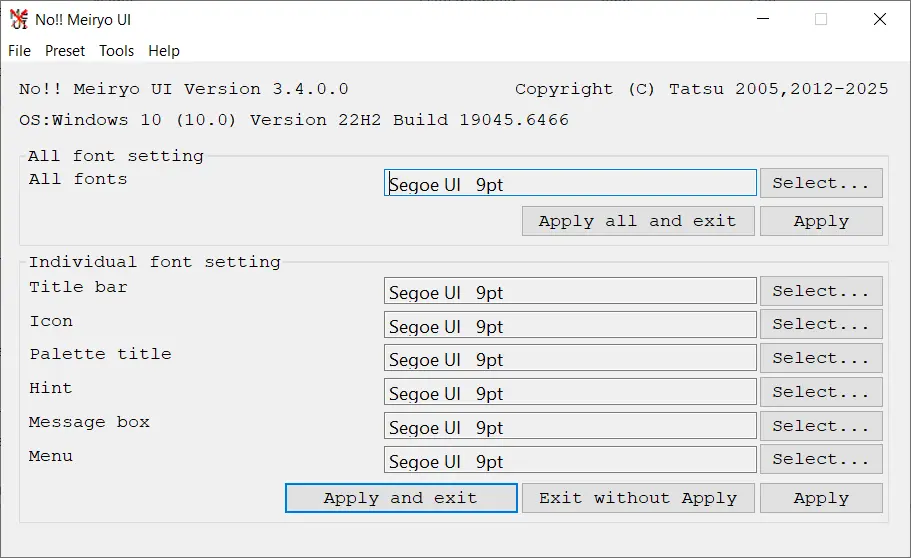
4. Change Fonts noMeiryoUI 3.4.0 372 KB (381,612 bytes)
修复系统组件
1
2
3
4
Dism /Online /Cleanup-Image /CheckHealth
Dism /Online /Cleanup-Image /ScanHealth
Dism /Online /Cleanup-Image /RestoreHealth
sfc /scannow
Other Tools
本文由作者按照 CC BY 4.0 进行授权